
24 Home Office Lighting Ideas That Reduce Eye Strain
home office lighting ideas start with one fact, not one lamp. The desk is where your eyes work all day, and the light over it decides whether the day ends with focus or with tired eyes and a face that looks dark on every call. Most home office lighting lists skip that fact and show a pretty lamp, then call the desk done. A desk earns its light from the order you fix it in, and the order is brightness, glare, face, task, evening, then mount.
This article promises a desk that stays lit for focus from the first call to the last page of reading. You get a Kelvin and lumens plan by task, a placement rule for the window, a video-call backdrop checklist, six problems solved in order, six mistakes to skip, and 12 researched picks mapped to the jobs where they work. Nothing here asks you to buy everything at once, and nothing here asks one lamp to light the desk, the face, and the room.
This article is research based curation, not hands on testing. Where a detail could not be verified, it is left out rather than guessed, and you should check size, color, and contents on the live listing before ordering. The numbers quoted from other sites, the 4000K focus point, the 300 to 500 lux desk target, and the 3500K to 4500K face light range, are their figures, not tested claims.
How these picks were chosen: each pick was researched from listing and source pages and checked at the publish date. No star rating is claimed for any pick. Check size, color, and contents on the listing before ordering, because listings and variants change. Where a detail cannot be verified, it is left out rather than guessed.
Affiliate disclosure: This article contains affiliate links to products on Amazon. As an Amazon Associate I earn from qualifying purchases. The price you pay stays the same, and the commission helps keep The Decor Root running.
Start With the Light Your Desk Actually Needs, Then Pick the Lamp
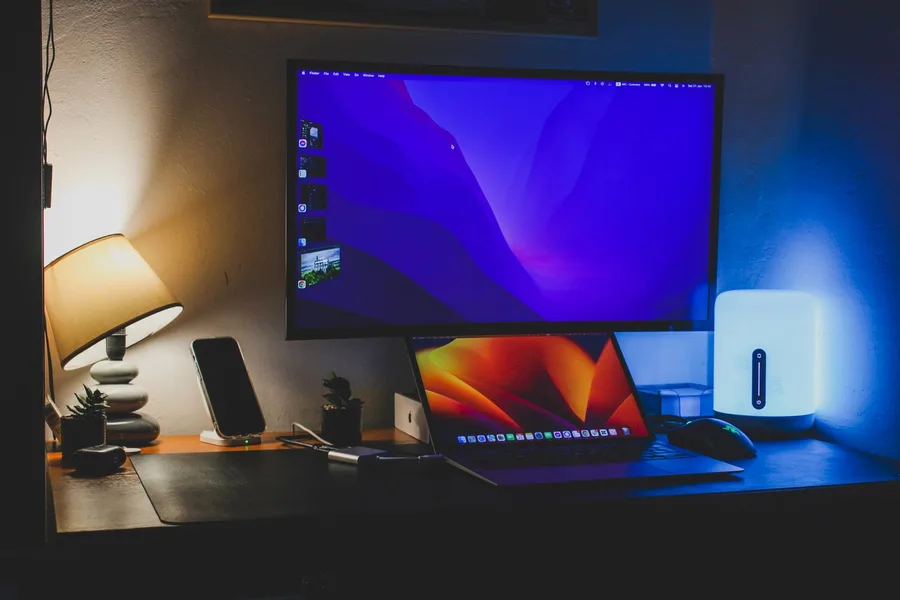
First, run the brightness check. Sit at the desk at midday and again at 5 PM and ask whether the screen is the brightest thing in view. If the room is dim and the monitor glows, the desk has a brightness problem, and a task light or a monitor bar fixes it before a new monitor does.
Second, run the glare check. Look at the screen from the chair and name every bright spot on it. If the window or a lamp shows on the panel, the desk has a glare problem, and moving the desk side-on to the window fixes it before a new lamp does.
Third, run the face check. Open the camera and look at your own face the way a caller sees it. If the face is darker than the background, the desk has a face light problem, and a front light at 3500K to 4500K fixes it before a new webcam does.
Fourth, run the paper check. Put a page and a pen on the desk and look at the work surface, not the screen. If the screen looks lit and the page stays dark, the task zone has no light of its own, and 400 to 800 lumens aimed at the page is the fix.
Fifth, run the evening check. Sit at the desk at the end of the day and ask whether the light suits winding down. If the room is still at daytime brightness and colour, the desk has no evening setting, and a dimmable warm light at 2700K to 3000K is the fix.
Sixth, run the surface check. Look at the desk and count the free inches. If there is no room for a lamp base, the desk has a mount problem, and a clamp lamp, a monitor bar, or a portable panel fixes it without a bigger desk.
home office lighting ideas are about fixing the desk in order, brightness first and mount last. A desk with the right brightness, no glare, a lit face, a lit page, a warm evening setting, and a mount that fits reads as a work desk from the doorway, while a desk with a new lamp on a dark surface reads as a lamp on a dark desk. The desk itself, the chair, the riser, and the layout that this light plan sits on, is shown in home office design ideas.
| Task | Kelvin | Lumens or lux |
|---|---|---|
| Desk focus, computer work | 4000K; 4000K to 5000K also given as a focus range | 300 to 500 lux at the desk; 400 to 800 lumens of task light |
| Video calls, face light | 3500K to 4500K, match nearby lights, do not mix warm and cool on the face | 500 to 1000 lumens total for the call setup; CRI 90 or above |
| Reading and paperwork | 4000K; about 500 lux | 800 to 1500 lumens as a starting point for a main desk light; 400 to 800 lumens for task light |
| Evening wind-down | 2700K to 3000K, dimmed | Dimmed to 10 to 20 percent of daytime level |
The table rows come from named guides, and the figures are theirs, not tested claims. Desk focus at 4000K with 300 to 500 lux comes from Dulora and Maxsen, with DeskSetupPro giving 400 to 800 lumens for task light and WFH Lounge giving the IES 300 to 500 lux range with a 4500K to 5500K focus figure. Face light at 3500K to 4500K with 500 to 1000 lumens and CRI 90 or above comes from Baltimore Chronicle and WFH Lounge.
Reading at 4000K and about 500 lux comes from Maxsen, and the evening wind-down at 2700K to 3000K, dimmed to 10 to 20 percent, comes from Dulora, Maxsen, CasasNug, and WFH Lounge. Do not merge the two lumen ranges in the reading row into one number: Dulora gives 800 to 1500 lumens for a main desk light, while DeskSetupPro, ModishHaven, and WorkWellSetup give 400 to 800 lumens for task light. Present lux at 300 to 500 as the target and lumens as lamp output, as Dulora does.
Quick check: if your face is darker than your background on camera, move the light, not the camera
Open the camera before the next call and compare your face with the wall behind you. If the wall is brighter than your face, no webcam setting fixes it, because the camera exposes for the bright background and lets the face go dark. Move a light in front of you, slightly above eye level, and the face comes back without touching the camera at all.
How Much Light a Desk Needs: Lux, Lumens, and Kelvin in Plain Terms
Three numbers decide whether a desk is lit well, and they measure three different things, so mixing them up is the first mistake. Lumens measure how much light a lamp gives out in total. Lux measures how much of that light actually lands on the desk where the work happens. Kelvin measures the colour of the light, and lower means warmer, so 2700K reads as warm white and 5000K reads as cool daylight.
Aim for 300 to 500 lux at the desk surface, because that is the range the guides give for reading and typing, and it is a target you can check with a phone light meter app. A lamp that gives 400 to 800 lumens of task light lands in that range on a normal desk, because the light is aimed at the page and the keyboard, not spread across the room.
A lamp that gives 800 to 1500 lumens is a main desk light in the Dulora guide, which is a higher figure for a lamp that must light the whole desk zone, so do not treat the two ranges as one number and do not buy by lumens alone.
Kelvin is the colour choice, and the desk needs more than one of them through the day. Run about 4000K for focus work, because that neutral white keeps the eyes alert for typing and reading, and most guides give 4000K as the balanced starting point, with 4000K to 5000K as the wider focus range. Run 3500K to 4500K for the face on video calls, because that range flatters skin and matches the other lights in the room, and keep the CRI at 90 or above so colours read truly on camera. Run 2700K to 3000K in the evening, dimmed, because warm dim light lets the eyes rest and the body wind down.

Check the numbers on the box before you buy, because Kelvin, lumens, and CRI are printed on the box and on the lamp base. A lamp that prints no Kelvin figure cannot be checked against the table, and a lamp that prints lumens but no CRI cannot be checked for call quality, so a missing figure is a reason to pick a different lamp, not a detail to guess.
The table in the section above is the whole plan in four rows, and every lamp in this article is matched to one of those rows. The whole-house version of the same Kelvin and lumens plan, room by room, is shown in winter lighting ideas, and the seasonal desk version of the same plan, with lamps chosen for shorter days, is shown in fall home office ideas.
Place the Desk Side-On to the Window to Kill Glare
The desk faces the window in most home offices, and that is the worst of the three positions, because daylight hits the screen straight on and the panel fills with glare by mid morning. Turn the desk around so the window is behind you, and the problem flips: the camera sees a bright window and your face goes dark on every call, because no front light can beat a window behind you. The position that fixes both is side-on, with the window to the left or the right, so daylight falls across the work, not onto the screen and not behind you on camera.
Side-on placement is the guidance the health institutes give, and the guides in the research repeat it: Maxsen cites the side-on window rule for screen work, and every competitor page that gives a placement rule gives the same one. The reason is simple geometry. Light from the side lights the desk surface and the keyboard without hitting the screen, and the camera sees a wall behind you instead of a window, so the face light you add in front only has to beat the wall, not the sky.
Test the position before you buy anything. Sit at the desk at 10 AM and at 3 PM and look at the screen from the chair. If you can see the window reflected on the panel, move the desk, not the lamp, because no lamp removes a reflection. If the camera shows a bright rectangle behind your head, move the desk, not the webcam, because no camera setting fixes a backlit face. The seasonal version of the same desk, with the same side-on rule under autumn light, is shown in lighting for a desk by the window for fall home office ideas that keep the glare down as the days shorten.
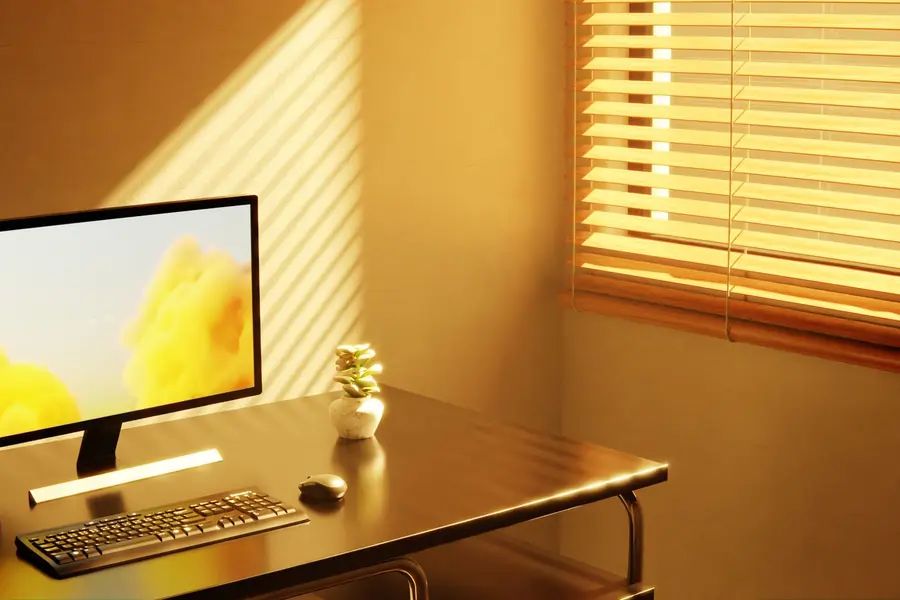
A curtain or a blind is the second fix, not the first. A sheer panel cuts the direct sun without killing the daylight, and a blind tilted up bounces the light to the ceiling instead of onto the screen. Use the blind for the two hours when the sun is lowest, and leave it open for the rest of the day, because a desk that loses its daylight loses the free light that no lamp replaces.
The Monitor Light Bar Fix for Glare and a Clear Desk
A monitor light bar is a slim light that clamps to the top of the monitor and throws light down onto the desk in an asymmetric beam, which means the light lands on the keyboard and the page and never on the screen. That one shape solves two problems at once: the desk gets its 400 to 800 lumens of task light, and the desk surface stays clear, because the bar mounts on the monitor and takes no desk space at all. It is the fix for the desk with no free surface for a lamp base, and it is the fix for the screen that glares under a normal lamp.
Check the clamp before you buy, because the bar only works if it grips the monitor. Measure the monitor thickness and the bezel curve, and match them to the printed clamp range, because a bar that cannot grip a curved ultrawide is a return, not a fix. Check the colour range too, because a bar that runs 2700K to 6500K covers focus work in the morning and warm wind down in the evening, while a fixed colour bar locks the desk to one temperature all day.

The best overall monitor bar in this set is the BenQ Halo 2 below, and the rear backlight is the reason it leads. A tri-zone rear light throws a soft glow on the wall behind the monitor, which cuts the contrast between the bright screen and the dark room, so the eyes stop straining at the edge of the panel. The wireless controller sits on the desk, the front and rear lights adjust on their own, and the motion sensor and auto-dimming mean the bar sets itself once and stays set.
The budget version of the same formula is the Xiaomi bar below, and the value is the asymmetric optic with a wireless remote dial at about a third of the Halo 2 stated price. The light lands on the desk and not on the screen, the magnetic mount rotates to aim the beam, and the remote sets brightness and colour from the chair. What it gives up is auto-dimming: there is no ambient light sensor, so brightness is set by hand from the remote, and a monitor thicker than 32 mm is outside the printed fit range.
Also solves this: the desk that needs a monitor bar at a third of the Halo 2 price, not the desk that needs auto-dimming
Xiaomi Mi Computer Monitor Light Bar, Screen Light Bar with Wireless Remote Control
270 lumens; colour temperature 2700K to 6500K; colour rendering index Ra95; asymmetric optic, no screen reflection; magnetic rotation mount; 40 degree adjustable axis, fits monitors 1 to 32 mm thick, including curved screens; 2.4GHz wireless remote control; metal body; USB-C port; body 23 x 448 mm (17.6 in); rated input 5V 1A, as printed. Price stated in sources: $67.99. Budget monitor bar.
The value benchmark in the roundups: an asymmetric optic and a wireless remote dial at about a third of the Halo 2 stated price, with no desk footprint. Not for: A desk where auto-dimming matters, since this bar has no ambient light sensor and brightness is set by hand from the remote, or a monitor thicker than 32 mm.
(paid link)
A bar earns its place by disappearing. Once it is clamped on, the desk keeps its full surface, the keyboard stays lit, and the screen stays free of glare, and the only thing you notice is that the page is readable at 5 PM. If the desk has room for a lamp base and the work is mostly paper, a lamp still wins, and the next sections give the face light and the task lamp their own picks.
Light Your Face for Video Calls: Front Light, Height, and CRI
A face on a video call is lit by whatever is in front of it, and in most home offices that is nothing, because the only light is overhead or behind. An overhead light throws shadows down from the brow and the nose, and a window behind throws the whole face into shade, so the caller sees a dark shape with a bright wall behind it.
The fix is a soft, diffused light in front of you, slightly above eye level, at about 3500K to 4500K, with CRI 90 or above, and the height matters as much as the brightness: light from below flattens the face, light from straight above hollows the eyes, and light from slightly above eye level, angled down at about 45 degrees, flatters it.
Match the face light to the other lights in the room, because a cool face light beside a warm room light reads as two different rooms on camera, and a warm face light beside a cool window reads as a face lit by a lamp in a cold room.
Set the face light to the same temperature as the room light, keep bright windows out of the background, and keep the total for the call setup at 500 to 1000 lumens, so the face is lit without the room going dark around it. CRI is the spec most people skip and the one that matters most on camera: a CRI of 90 or above keeps skin tones true, while a low CRI light makes every face look grey, no matter how bright it is.
The fixed face light for daily calls is the Elgato Key Light Neo below, and the honest part is the output by power supply. It gives up to 1000 lumens on a 12W supply, 700 lumens on USB-C at 7.5W, and 400 lumens on USB-A at 4.5W, so the brightness you get depends on the port you plug it into. It mounts on the monitor, stays in place, and the 2900K to 7000K range with CRI above 94 percent covers every call from a warm evening check-in to a bright morning stand-up.
Calls that happen from a laptop away from the main desk need a portable panel, and the Elgato Key Light Mini below is the one that travels. It gives 800 lumens from a rechargeable 4000 mAh battery, stated to last 4 hours at 50 percent brightness, and it weighs 290 g, so it sits on a second desk or a kitchen table without a mount or a cable. The Kelvin range is not stated in the sources used, so no Kelvin figure is given here, and it ships with no mount or stand in the box, so a 1/4-inch thread mount is a separate purchase if you want one.
Also solves this: the calls that happen from a laptop away from the main desk, not the fixed desk that needs a mounted light
Elgato Key Light Mini, Portable LED Panel for Streaming and Video Conferencing, 800 Lumens, Rechargeable Battery
800 lumens; rechargeable 4000 mAh battery, stated to last 4 hours at 50 percent brightness; weight 290 g; size 1.7 x 14.7 x 9.9 cm; Wi-Fi app control for brightness and colour temperature; 1/4-inch thread mount; model 10LAD9901, as printed. Kelvin range not stated in the sources used, so no Kelvin figure is given here. Portable face light for calls from a laptop or a second desk. Battery power means no fixed mount and no cable to the desk. Not for: All-day fixed desk lighting, since it is a panel for the face, not a task lamp for the desk, and it ships with no mount or stand in the box.
(paid link)
The budget face light for everyday calls is the Logitech Litra Glow below, and the word that matters in its name is TrueSoft. The diffused light sits on the monitor near the camera and flatters the face without a stand, and the brightness and colour temperature are set from the Logitech G HUB app on PC and Mac. At 250 lumens it is a face light only, not a task light and not a room light, and the Kelvin range is not stated in the sources used, so no Kelvin figure is given here.
Also solves this: the everyday calls that need a diffused face light on a budget, not the calls that need a bright key light
Logitech for Creators Litra Glow Premium LED Streaming Light with TrueSoft, Graphite, 946-000001
250 lumens output; TrueSoft diffused light; adjustable monitor mount; brightness and colour temperature settings; desktop app control via Logitech G HUB for PC and Mac; USB powered; model 946-000001, as printed. Kelvin range not stated in the sources used, so no Kelvin figure is given here. Budget face light for everyday calls. Diffused light that sits on the monitor near the camera and flatters the face without a stand. Not for: Task lighting or room lighting, since 250 lumens is a face light only, or a desk where G HUB app control is not available, since on-device controls are separate.
(paid link)
Call-heavy days need the brightest face light in this set, and the NEEWER GL25B below is the one that brings it. A 12.9 inch edge-lit panel with 176 LEDs gives 2300 lux at 0.5 m, and the CRI of 98 or above is the highest in this set, so skin reads truly even on a long day of back-to-back calls. The desk stand, the 2.4G remote, and the PC and Mac app control mean the light is set once and left alone, and the 2900K to 7000K range covers every hour of the working day.
Also solves this: the call-heavy days that need the brightest face light in this set, not the desk that needs a task lamp
NEEWER GL25B 12.9 inch Streaming Key Light with Remote Control and Desk Stand
25W; 12.9 inch edge-lit panel; 176 LEDs; 2300 lux at 0.5 m; 2900K to 7000K; CRI 98 or above; dimmable; 2.4G RT100 remote and PC/Mac app control; desk stand and USB transmitter included; model GL25B, as printed. Price stated in sources: $99.99. Bright, high-CRI key light for call-heavy days. The highest CRI in this set, on a desk stand with remote and app control. Not for: A desk with no room for a 12.9 inch panel on a stand, or a buyer who wants a task lamp, since this is a face and camera light.
(paid link)
One face light, placed in front and slightly above eye level, beats three lights placed anywhere else. Set it, take a test still from the camera, and check the face against the background before the call starts, because a two minute test saves a whole meeting of apologies about the lighting.
The Video-Call Backdrop Checklist Before Your Next Call
The backdrop is the wall the camera sees, and it needs a checklist, not a redesign, because five minutes of checks fix what a new lamp cannot. Run the list before the next call, in order, and tick each item off.
First, the wall behind you is a wall, not a window. If the camera sees a window, move the desk or close the blind, because no face light beats a bright window behind you.
Second, one calm anchor sits centred in the frame, because a single framed piece gives the eye somewhere to settle and the wall reads as designed, while a bare wall reads as unfinished and a crowded wall reads as clutter.
Third, nothing in the frame glares. Matte finishes read truly on camera, glossy frames and glass throw bright spots, and a shiny surface behind you pulls the eye away from your face.
Fourth, no bright lamp or window sits in the background, because a bright point behind you makes the camera expose for it and your face goes dark.
Fifth, the shelf or the grid beside you is tidy, with nothing hanging off the frame edge and nothing stacked at an angle. A shelf with three calm objects reads as a backdrop, and a shelf with twelve reads as a storage unit.
Sixth, the face light is on and the overhead is off or dimmed, because the overhead is the light that hollows the eyes and the face light is the one that flatters them.
Seventh, take a test still from the camera before the call starts. Look at the still the way a caller sees it: face brighter than the wall, one anchor in frame, nothing glaring, nothing cluttered at the edges. If the still passes, the call passes, and the whole check takes less time than one apology about the lighting.
Task Light for Paper, Reading, and Detail Work
Screen work looks fine while paper work sits in shadow, because the monitor lights itself and the page does not. A page on the desk gets whatever light spills off the screen, which is not enough to read by, and the eyes work harder on paper than on the panel for the same hour. The fix is a lamp aimed at the page, not at the room, with 400 to 800 lumens on the task and about 4000K for focus, so the page reads as clearly as the screen does.
Put the lamp on the opposite side from the writing hand, because a lamp on the writing side throws the hand shadow across the page, and a lamp on the far side lights the page without a shadow at all. Aim the light at the page or the keyboard, never at the eyes, and keep the head wide enough to cover the work: a curved or ultrawide head spreads light across the desk instead of pooling it in one bright spot with dark edges, so a full page reads evenly from margin to margin.
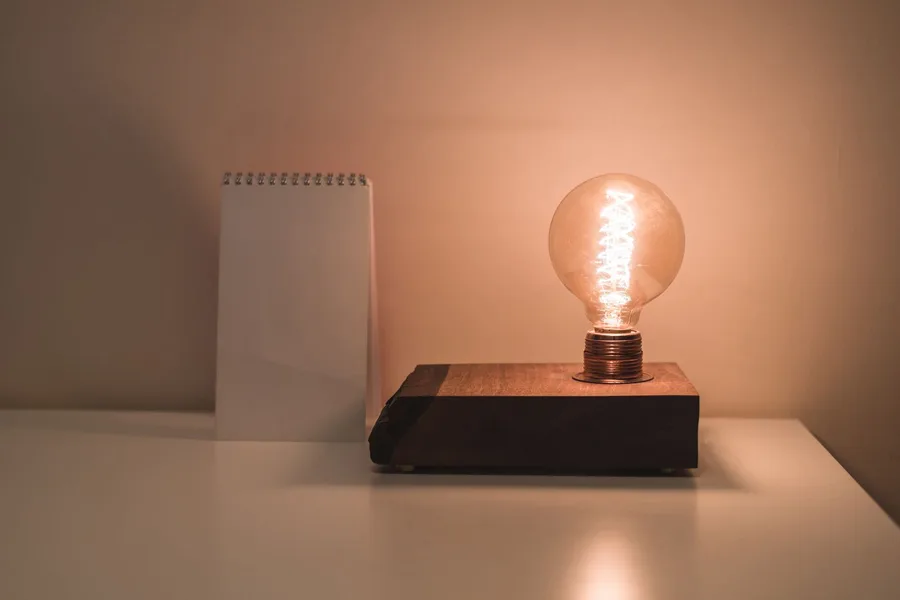
The bright budget task lamp in this set is the Lepro below, and the number that matters is 800 lumens at the lowest stated price in the set. Five colour modes and five brightness levels give 25 combinations from one touch base, the metal body and the frosted diffuser keep the light even, and the memory function returns to the last setting without a reset. The listing prints modes rather than Kelvin figures, so no Kelvin range is given here, and a buyer who needs to dial an exact Kelvin value should pick a lamp that prints one.
Also solves this: the paper work that needs 800 lumens on a budget, not the desk that needs an exact Kelvin dial
Lepro LED Desk Lamp, Metal Desk Light, 9.5W, 800 Lumens, White
9.5W; 800 lumens; 5 colour modes and 5 brightness levels, 25 combinations; metal body; touch control; memory function; frosted diffuser; Forbes Vetted Best Task Lamp as stated on the listing; 4.9 ft (1.5 m) DC power cord with US power adapter, 12V 1A, input 100-240V AC, as printed. Kelvin figures are not printed on the listing, only 5 modes, so no Kelvin range is given here.
Price stated in sources: $22.99. Bright budget task lamp for paper, reading, and detail work. 800 lumens and a metal body at the lowest stated price in this set. Not for: A buyer who needs to dial an exact Kelvin value, since the listing prints modes rather than Kelvin figures, or a desk that needs a clamp mount, since this is a base lamp.
(paid link)
Paper-heavy work wants a wide head, and the BenQ WiT below is the wide-coverage lamp in this set. The curved head spreads light across the desk rather than pooling it in one spot, the adjustable arm aims it where the page sits, and the dual smart mode with auto-dimming sets the level from the room light without a touch. The Kelvin range and the lumen figure are not stated in the sources used, so neither is given here, and no single price is claimed, because the sources give conflicting ranges for this model.
The desk that doubles as a charging spot needs a lamp that folds flat and charges a phone, and the Honeywell H01 Pro below is the one that does both. The Sunturalux full-spectrum light folds flat when the desk is used for other work, the three colour modes and the dimmer cover focus and evening, and the USB A and C charging ports charge a phone while the lamp lights the desk. The lumen and Kelvin figures are not stated in the sources used, so neither is given here, and a buyer who needs a stated figure before buying should pick a lamp that prints one.
Also solves this: the desk that needs a lamp that folds flat and charges a phone, not the desk that needs a wide ultrawide head
Honeywell Upgraded LED Desk Lamp, H01 Pro Sunturalux, Foldable Desk Light with USB A+C Charging Ports, Black
Model HWT-H01 PRO; Sunturalux full-spectrum light; foldable design; 3 colour modes; dimmable; USB A+C charging ports; touch control, as printed. Lumen and Kelvin figures not stated in the sources used, so neither is given here. Foldable task lamp that charges a phone while it lights the desk. Folds flat when the desk is used for other work. Not for: A buyer who needs a stated lumen or Kelvin figure before buying, since the sources used do not print one for this model, or a desk that needs a wide ultrawide head, since this is a foldable single-head lamp.
(paid link)
A task lamp earns its place by lighting the page and nothing else. Set it on the far side from the writing hand, aim it at the work, and check the page at 5 PM, because a page that reads clearly at noon and goes dark at dusk needs a lamp, not a brighter room. The lamp placement rule, on the far side from the writing hand so no shadow falls on the page, is shown in desk lamp placement that avoids glare. The clamp-mounted lamp that does this job and the face job from one arm is covered in the mount section below.
Bias Light Behind the Monitor for Evening Screen Work
A bright screen in a dark room tires the eyes because the contrast between the panel and the wall is too sharp, and the eyes work at the edge of the screen all evening. A bias light fixes it by putting a soft glow on the wall behind the monitor, so the bright panel sits inside a lit frame instead of a dark hole, and the contrast drops without touching the screen brightness. The colour is fixed at 6500K true white, because the glow behind the screen should match daylight white, not warm white, so the screen colours read truly against it.
Two shapes cover every desk. A sized kit fits one monitor with no cutting or measuring, and it is the pick for a single monitor 24 inches or under. A long strip trims to fit, and it is the pick for two monitors or one large monitor with length to spare. Both run from USB power, both stick on with adhesive, and both stay behind the monitor where the camera never sees them, so the bias light is felt, not seen.

The long strip in this set is the Govee below, and the length is the point: 16.4 feet with 300 LEDs covers two monitors from one strip, or one large monitor with length to spare, and the dimmable control box sets the level once and leaves it there. The 6500K fixed white is the bias colour, so a buyer who wants warm bias light should look elsewhere, and a single monitor 24 inches or under is better served by a sized kit that needs no trimming.
Also solves this: the two monitors that need bias light from one strip, not the single monitor that needs a sized kit
Govee Cool White LED Strip Lights, 16.4 ft, 6500K, Dimmable
Length 16.4 ft (5 m); colour temperature 6500K; 300 LEDs; dimmable control box; strong adhesive; 12 month warranty per Govee returns policy, as printed. Price stated in sources: $19.99. Bias light for two monitors from one strip, or one large monitor with length to spare. 6500K true white behind the screen cuts the contrast with a bright panel. Not for: A single monitor 24 inches or under where a sized kit needs no cutting or measuring, since this is a 16.4 ft strip to trim to fit, or a buyer who wants warm bias light, since this is fixed 6500K cool white.
(paid link)
The sized kit in this set is the Luminoodle below, and the size is the point: a 39 inch strip at 6500K true white fits monitors up to 24 inches with no cutting and no measuring, on USB power at 5W. No CRI figure and no warranty term is published in the sources used, so neither is given here, and the listing should be re-checked at publish time, because the sizing and the 6500K figure rest on the retail listing and reseller pages.
Also solves this: the single monitor that needs bias light with no cutting or measuring, not the monitor over 24 inches
Luminoodle Bias Lighting, Backlight Kit for Monitors up to 24 inch, USB LED Light Strip, True White
39 inch (1 m) LED strip; 6500K true white; fits monitors up to 24 inches; USB powered, input 5W (5V, 1A); 3M adhesive; brand Power Practical; model LYSB01LR3O8SI-ELECTRNCS, as printed. No CRI or warranty figure is published in the sources used, so neither is given here. Bias light sized for one monitor, with no cutting or measuring. The pick for a single monitor 24 inches or under. Not for: A monitor over 24 inches, since the kit is sized for monitors up to 24 inches, or a buyer who wants a stated CRI or warranty term, since none is published in the sources used.
(paid link)
Bias light is the cheapest evening fix in this article, because one strip behind the monitor changes the whole room after dark. Stick it on, dim it once, and the screen stops glaring at the edge of the panel, even though nothing on the desk changed at all.
Evening Wind-Down: Warm, Dim, and Off the Desk
Evening work stays at daytime brightness and colour on most desks, so the room never winds down, and the body stays alert long after the work ends. The fix is not a new lamp but a setting: dim the desk light to 10 to 20 percent of its daytime level, drop the colour to 2700K to 3000K, and add one low ambient layer away from the desk, so the room steps down in stages instead of switching off in one jump.
Dulora calls the shift Sunset Dim, and the figure is 2700K down to 1800K as the lamp dims, which is the colour of late evening sun and the closest a desk lamp gets to candlelight. Maxsen gives the same direction in simpler terms: back toward 2700K in the evening, after a cooler morning. CasasNug gives 2700K to 3000K as the warm evening range, and WFH Lounge gives the dimming figure: 10 to 20 percent for evening use. Together they describe one habit, not four products: the same lamp, cooler and brighter in the morning, warmer and dimmer in the evening.

Set the evening habit tonight, because it costs nothing and it uses the lamps already on the desk. Slide the task lamp low, let the bias light carry the room, and put the face light away, because a call light has no job after the last call. The whole-house version of the same warm dim rule, with the evening Kelvin plan room by room, is shown in warm light for evening work for winter lighting ideas that beat the 5 PM dark. The bedroom end of the same warm dim rule, how the light carries a room from evening to sleep, is shown in winter bedroom lighting.
Clamp, Base, or Bar: Pick the Mount That Fits Your Desk
Three mounts cover every desk, and the desk decides, not the lamp. A clamp grips the desk edge and takes no surface at all, so it suits a desk with no free inches and a lamp that must stay out of the way. A base sits on the desk and needs surface, so it suits a desk with room to spare and a lamp that moves between tasks. A bar clamps to the monitor and takes no surface either, so it suits a desk where the monitor is the only free edge.
Check the fit before you buy, because every mount has a range and the ranges are printed. A clamp lists the desk thickness it grips, a bar lists the monitor thickness and the bezel curve it fits, and a base lists the footprint it needs on the desk. Measure the desk edge, the monitor, and the free surface, and match all three to the printed figures, because a mount that does not fit is a return, and a lamp bought for the wrong mount is a lamp that never gets used.
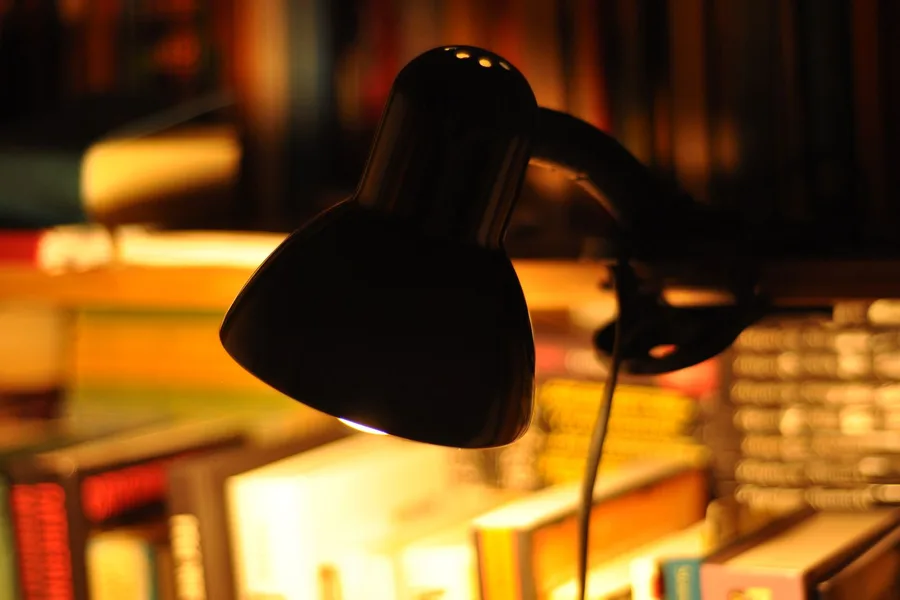
The clamp-mounted lamp that does two jobs from one arm is the Lume Cube Edge Light 2.0 below, and the arm is the reason it leads this section. The rotating arm with four pivot points turns the ring head from the desk to the face, so one lamp lights the page for paper work and turns to light the face for calls, and the desk clamp mount means it takes no surface at all. The bi-colour LED runs 2700K to 7500K at CRI 95 and 700 lumens, and the USB-C and USB-A charging ports charge a phone while the lamp works.
Pick the mount first and the lamp second, because the mount is the part that cannot be changed after the purchase. A desk with a thick edge needs a clamp that grips it, a desk with a curved monitor needs a bar that fits it, and a desk with free surface takes any base. The lamp is the easy choice; the mount is the one that decides whether the lamp gets used. The desk itself, the riser, and the layout that these mounts sit on, is shown in home office desk setup.
12 Verified Lamp Picks for Focus and Video Calls
The twelve picks in buy order, one line each, with the job each one does:
- BenQ ScreenBar Halo 2, best overall monitor bar with rear bias light.
- Xiaomi Mi Monitor Light Bar, budget bar with a wireless remote.
- Lume Cube Edge Light 2.0, hybrid clamp lamp for paper work and calls.
- Elgato Key Light Mini, portable face light for laptop calls.
- Elgato Key Light Neo, fixed face light for daily calls.
- Logitech Litra Glow, budget diffused face light.
- NEEWER GL25B, bright high-CRI key light for call-heavy days.
- Lepro LED Desk Lamp, bright budget task lamp at 800 lumens.
- BenQ e-Reading WiT, wide-coverage reading lamp.
- Honeywell H01 Pro, foldable task lamp that charges a phone.
- Govee Cool White Strip, bias light for two monitors from one strip.
- Luminoodle Bias Lighting, sized bias kit for one monitor up to 24 inches.
Buy in the order the problems appear: brightness first with a bar or a bias light, then the face light, then the task lamp, then the bias strip, and the mount last, because the mount is chosen for the desk, not for the lamp. A desk that buys the face light before the brightness fix still has a dark desk, and a desk that buys the task lamp before the glare fix still has a glaring screen.
Six mistakes to skip, so the plan holds past the first week:
- Buying a cool white lamp for evening work, so the warm plan fails at the first switch.
- Lighting the desk with one overhead, so the page stays dark and the face stays shadowed.
- Putting the desk facing the window, so the screen glares and the face goes dark on camera.
- Skipping the face light, so every call opens with an apology about the lighting.
- Buying a lamp that prints no Kelvin or CRI figure, so the desk cannot be checked against the table.
- Filling the desk surface before choosing a mount, so the lamp has nowhere to sit and the bar has nothing to clamp to.
Set the brightness tonight, run the face check before the next call, and the desk will work for focus and for calls without a second purchase. A desk lit in the right order stays lit, and a desk lit by one impulse buy goes dark again by Friday.
Frequently Asked Questions
1. What is the best lighting for a home office desk?
Ans: Use a layered setup: a 4000K task light on the desk, a softer 3000K light in the room, and a dimmer, aiming for about 300 to 500 lux at the desk, with the light angled away from the screen.
2. What is the best Kelvin for focus at a desk?
Ans: About 4000K is the balanced starting point most guides give. Adjustable lamps let you run cooler in the morning and warmer in the evening.
3. How do I light my face for video calls?
Ans: Use a soft, diffused light in front of you, slightly above eye level, at about 3500K to 4500K, with CRI 90 or above, and keep bright windows out of the background.
4. Should the desk face the window?
Ans: No, not in most rooms. Place the desk side-on to the window so daylight falls across the work, not onto the screen or behind you on camera.
5. Monitor light bar or desk lamp: which is better?
Ans: A bar suits a desk with no free surface and a monitor it can clamp to. A lamp suits paper work, reading, and lighting areas away from the monitor.
Bottom Line: home office lighting ideas come down to this: aim for 300 to 500 lux at about 4000K for focus, place the desk side-on to the window, light your face from the front at 3500K to 4500K with CRI 90 or above, give paper its own 400 to 800 lumens, add bias light behind the monitor, dim to 2700K to 3000K in the evening, and pick the mount that fits the desk you own. One bar, one face light, one task lamp, and one bias strip are the whole plan, and the rest is a matter of keeping the order honest.
Save these home office lighting ideas to your Pinterest board, so your desk is lit for focus and your face is lit for calls before the next workday!
Photos via Pexels. All photos are free to use and sourced from Pexels.